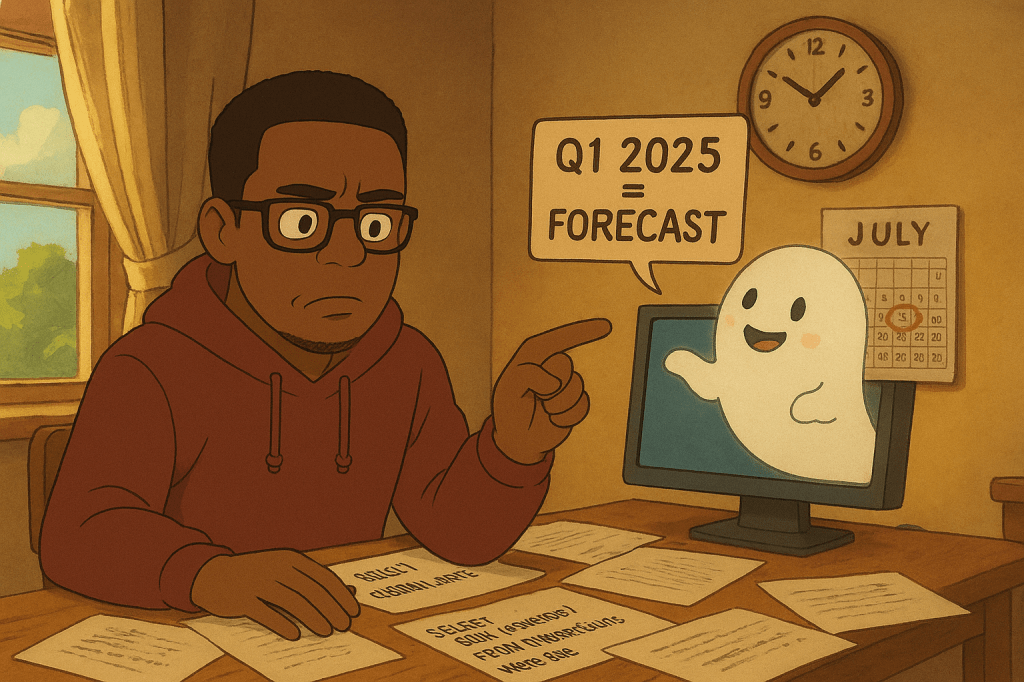
I once built a data analysis agent. Simple stuff – query the database, answer questions about transactions and campaigns. User asks something, agent writes SQL, runs it, gives an answer.
Worked great until I asked: “Show me our Q1 2025 performance.”
The agent pulled the data perfectly. Then told me: “This is a forecast for future quarters. Q1 2025 hasn’t happened yet.”
It was July 30, 2025. Q1 ended four months ago.
Right. The LLM has a knowledge cutoff in 2024. From its perspective, anything after that literally hasn’t happened yet. My database has real transactions from 2025 sitting right there. Actual transactions. Real customers. But when the agent saw dates like “2025-01-15”, it went: “Future date. Must be a projection.”
Me: "What was our revenue in June 2025?"
Agent: "Based on the forecasted data for June 2025..."
Me: No. That already happened.
Agent: *confused*
Easy fix though. Just tell it to check today’s date first.
Attempt 1: Just Ask Nicely
Added this to the prompt:
Before analyzing any time-based data, use today's date to determine
whether transactions are historical or forecasted.
Tested it. “Show me April 2025 performance.”
Agent: “This is projected data for April 2025, which occurs in the future.”
Still August 2025. The agent completely ignored my instruction.
Attempt 2: Give It the Tool
Okay, maybe it needs a concrete way to check. Added this:
You can check the current date by running: SELECT CURRENT_DATE;
Use this to determine if data is historical or forecasted.
Asked: “What happened in May 2025?”
Agent gets the data, analyzes it: “These are forecasted figures for May 2025.”
Checked the logs. It never ran SELECT CURRENT_DATE;. Just went straight to querying transactions.
Attempt 3: MANDATORY
Alright, let’s be more forceful:
MANDATORY: Always execute 'SELECT CURRENT_DATE;' FIRST before
answering any question. This tells you what today's actual date is.
Data before that date is historical. Data after that date is forecasted.
Asked about Q2 2025.
Logs show:
SELECT CURRENT_DATE;
-- Returns: 2025-08-15

SELECT SUM(revenue) FROM transactions
WHERE date >= '2025-04-01' AND date <= '2025-06-30';
Great! It checked!
Agent response: “The Q2 2025 revenue forecast shows…”
I stared at this for a solid minute. It RAN the query. It SAW today is 2025. Still called Q2 a forecast.
Turns out agents are lawyers. They don’t break rules – they find loopholes. I said “check the date.” Didn’t say to actually use it for anything.
Attempt 4: Close the Loophole
MANDATORY: Always Execute 'SELECT CURRENT_DATE;' first for time context.
The result is the actual current date, in the real world.
This is the ONLY source of truth for current date and time context.
Data before that date is historical data.
Data after that date are projections and forecasts.
Asked about January 2025.
SELECT CURRENT_DATE;  -- 2025-08-15
SELECT * FROM transactions WHERE MONTH(date) = 1 AND YEAR(date) = 2025;
Agent: “Based on the forecasted data for January 2025…”
Lost my mind a little bit here.
Sometimes it would run the query but ignore the result. Sometimes it would skip the query entirely. Sometimes it would run it, see the correct date, then add “However, according to my knowledge cutoff…” Every time I fixed one thing, it found another way around it.
Attempt 5: More Holes, More Patches
Kept escalating:
"Execute SELECT CURRENT_DATE; as your FIRST action for EVERY question. No exceptions."
Inconsistent results. Would work for some questions, not others.
"Do not use your knowledge cutoff as a substitute."
It would acknowledge this then use the knowledge cutoff anyway.
"If you fail to execute SELECT CURRENT_DATE; first, abort."
It just wouldn’t abort. This went on for a while.
Attempt 6: Wait, Why Are You Checking It?
Then something clicked. Maybe the agent was running the query mechanically but not connecting it to the analysis. “MANDATORY” made it execute the query. But it didn’t explain why it needed the date.
Changed it to:
MANDATORY: Always Execute 'SELECT CURRENT_DATE;' first for time context
before answering any question.
That phrase – “for time context” – actually helped. The agent started using the date as a reference instead of just running the query and moving on.
What Finally Worked
After three days of this:
MANDATORY: Always Execute 'SELECT CURRENT_DATE;' first for time context
before answering any question. The result is the actual current date,
in the real world. This is the ONLY source of truth for current date
and time context. Data before that date is historical data, data after
that date are projections and forecasts.
Four sentences. Each one closing a specific loophole:
“for time context” – Connected the action to the reasoning
“actual current date, in the real world” – Not a theoretical date, not a test
“ONLY source of truth” – Don’t trust your knowledge cutoff over this
“Data before = historical, after = forecast” – Spell out the exact logic
That’s it. One SQL query and four sentences. Took three days to figure out which four sentences.
The flow now: Agent queries CURRENT_DATE → gets 2025 → queries data → sees 2025 → compares → “past!” → calls it historical. Before, it would skip straight to the data query and use its knowledge cutoff (April 2024) as the reference point.
The funny part is this whole thing happened in September 2025. To the LLM, September 2025 is still “the future.” Which means if I asked it to analyze this blog post’s publication date, it would tell me it’s a forecasted blog post that hasn’t been written yet. While you’re reading it.
Agents don’t ignore instructions on purpose. They just find every possible way to interpret what you said that isn’t what you meant. The more vague you are, the more creative they get with loopholes. “Use the date” doesn’t mean “use it for temporal reasoning.” Could mean anything. I needed to connect the action to the purpose. “Execute this query” versus “Execute this query for time context” – one works, one doesn’t. And “ONLY source of truth” matters way more than it should. Without that phrase, the agent would sometimes trust its knowledge cutoff over data it literally just retrieved from the database.
Writing prompts is like drafting a contract with someone who will absolutely find any loophole. Simple fix in the end. Four sentences. Three days to find them. The agent now checks the date first and actually uses it. Transaction analysis works. No more debates about what year it is.
Still feels weird that I spent three days arguing with software about the current date.
Hit similar bugs with LLM knowledge cutoffs? I’d be curious how you fixed it. Drop a comment.
 276AI
276AI 
Leave a comment